ET — 35x45 mm
Change
Drop your photo here
—
JPEG · PNG · WebP · HEIC/HEIF · max 10 MB
Photo tips ↓
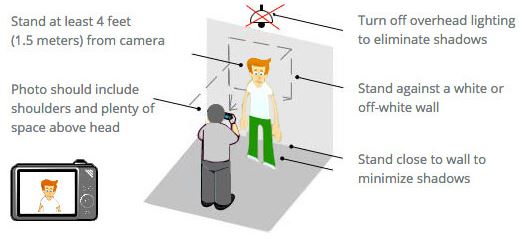
How to take passport photo:
- Take photo in front of a plain white or grey background.
- With a neutral facial expression: don't smile & don't close your eyes.
- Don't wear glasses, hat or anything that cover your face.
- Don't cover your face with your hair.
Tune
Cropping & exposure tips ↓
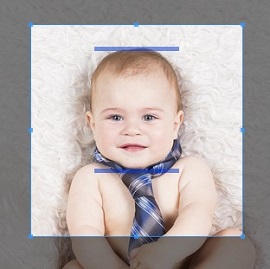
How to crop photo:
- Move and resize the crop box so that the chin and the top of the head fits into the blue bars.
- If you are using computer, you can use the up, down, left and
right arrow keys to move the photo so that the person in the
photo is centered horizontally.
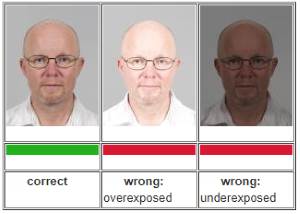
Overexposed or Underexposed?
- Photos that are too bright or that show shadows on your face will cause you problems. Your photo needs to be a clear image of your face.
- Select the photo with the correct exposition.

Processing your photo…
This takes just a moment.